Logs: station, cell and person
The first tab, Logs, is the most complete view. It can look at a whole locker station, one cell, or one person.
Choose what to look at
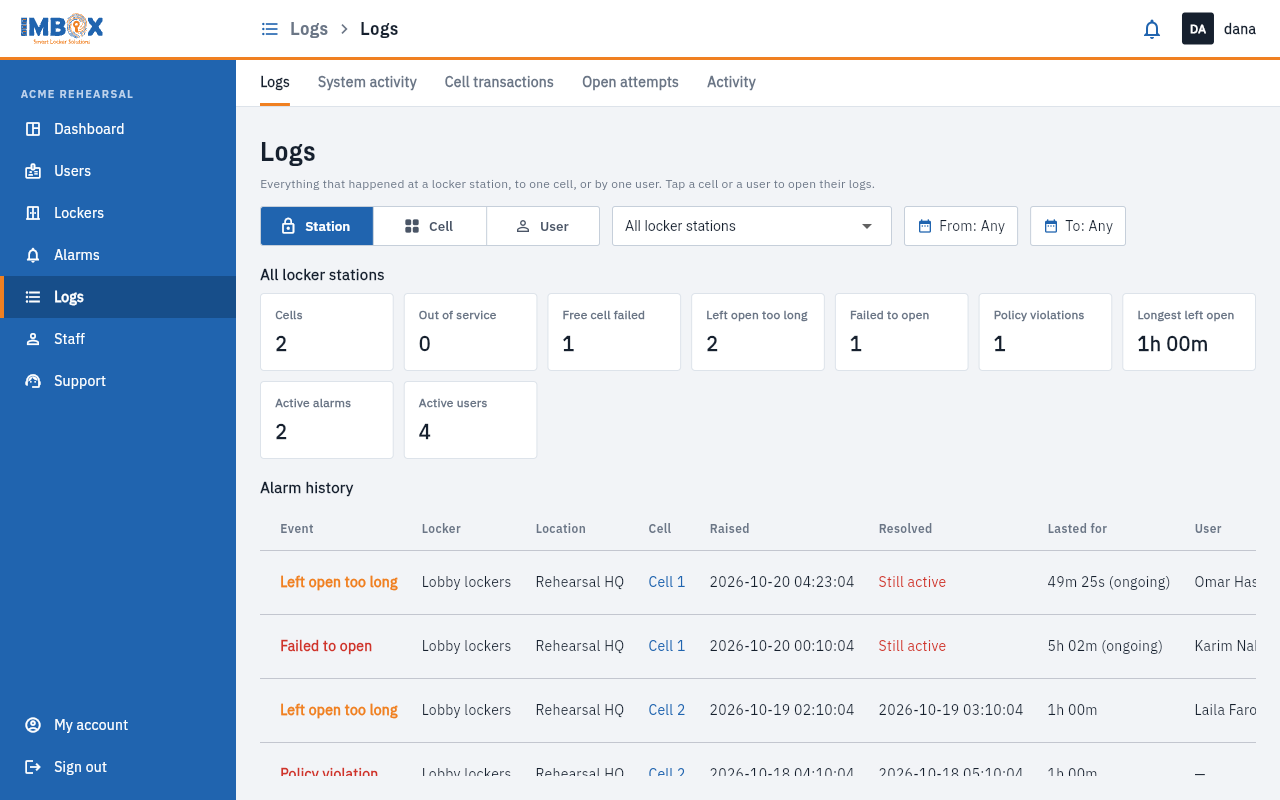
At the top, three buttons choose the view:
| View | Shows |
|---|---|
| Station | Everything at one locker station, or at all of them. |
| Cell | One cell. Pick the station, then the cell. |
| User | One person. Search by name or card number. |
Then choose the period with the From and To date buttons. All time clears them.
In the lists, tap a cell number or a person's name to open their own logs.
The summary
Above the lists are tiles that summarise the period:
| Tile | Meaning |
|---|---|
| Cells | How many cells there are. |
| Out of service | How many are out of service. |
| Free cell failed | Times the free cell did not open and none was left. |
| Left open too long | Times a door was left open too long. |
| Failed to open | Times a lock did not open when asked. |
| Policy violations | Times a closed cell was found open. |
| Longest left open | The longest a door stayed open. |
| Active alarms | Alarms open now. |
| Active users | People who opened a cell in the period. |
Alarm history
A list of the alarms in the period: the event, station, location, cell, when it was raised, when it was resolved ("Still active" if not yet), how long it lasted, and the person.
The timeline
Every event in order, with the time, the event, the station, the cell, the zone, the person, their card and the details.
Use the buttons above the timeline to show only some events:
- Opened, Closed
- Left open too long, Failed to open, Policy violation
- Cell reset, Out of service, Back in service
- No free cells, Free cell failed
A reset says who did it and what happened, for example "by Dana · Opened and freed from Maya Aziz". Refresh reloads the list. Under the list you can choose how many rows to show per page.
Examples
- "Who had cell 5 on Tuesday?" Choose Cell, the station and cell 5, set the dates, and read the timeline.
- "What did Maya do this week?" Choose User, search her name, and set the dates.
- "Why do we get so many alarms?" Choose Station and read the summary and the alarm history.