Report an issue to IMBox
When something is wrong that you cannot fix yourself, tell IMBox support. They see your report, reply to it, and you follow everything in one place.
You need the permission Report issues to IMBox support. Owner and Admin have it.
Report an issue
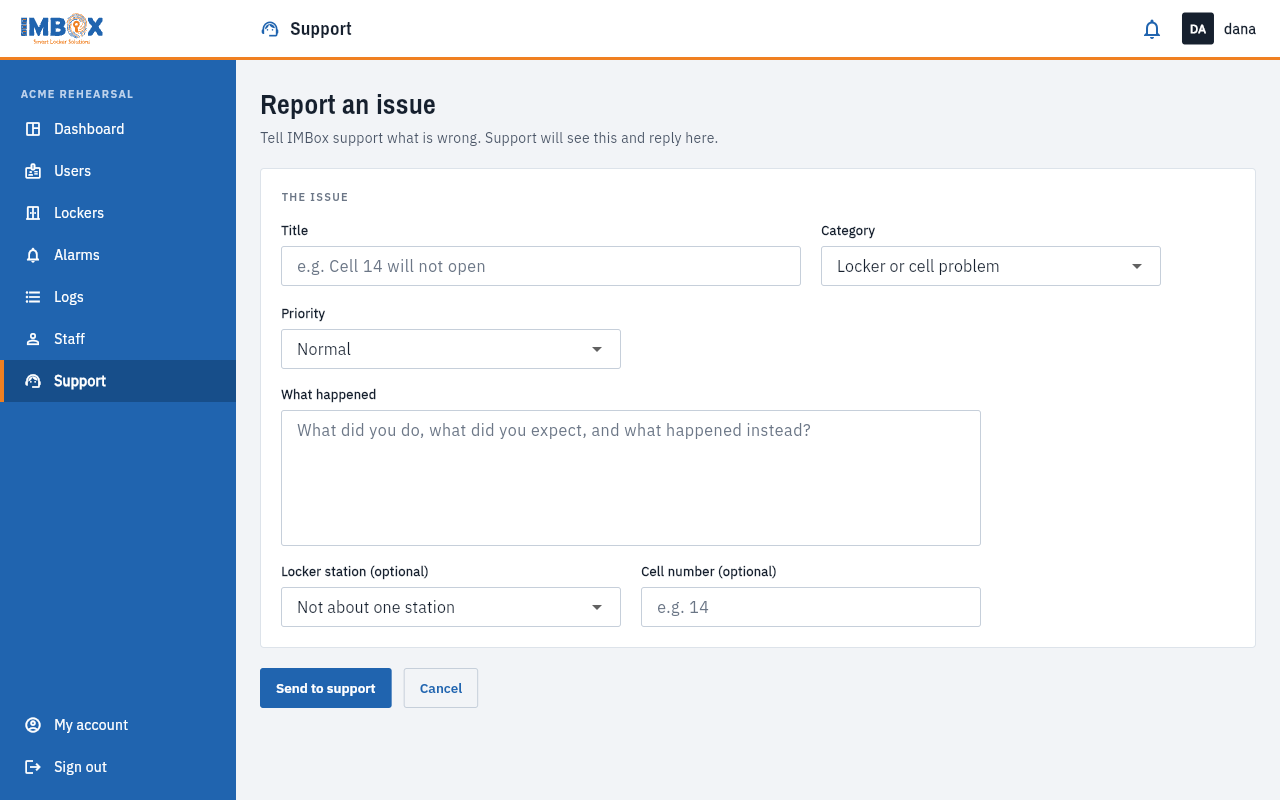
- Open Support in the left menu.
- Press Report an issue.
- Fill in:
- Title: a short line, for example "Cell 14 will not open".
- Category: Locker or cell problem, Screen or kiosk problem, Users and cards, Account and access, or Something else.
- Priority: Low, Normal, High or Urgent.
- What happened: what you did, what you expected, and what you saw instead.
- Locker station and Cell number: optional, but they help a lot.
- Press Send to support.
Your report gets a reference such as T-4JZ8P7. Use it when you talk to IMBox.
The more exact you are, the faster it is solved. Say which station and cell, what time it happened, and whether it happens every time.
Follow it
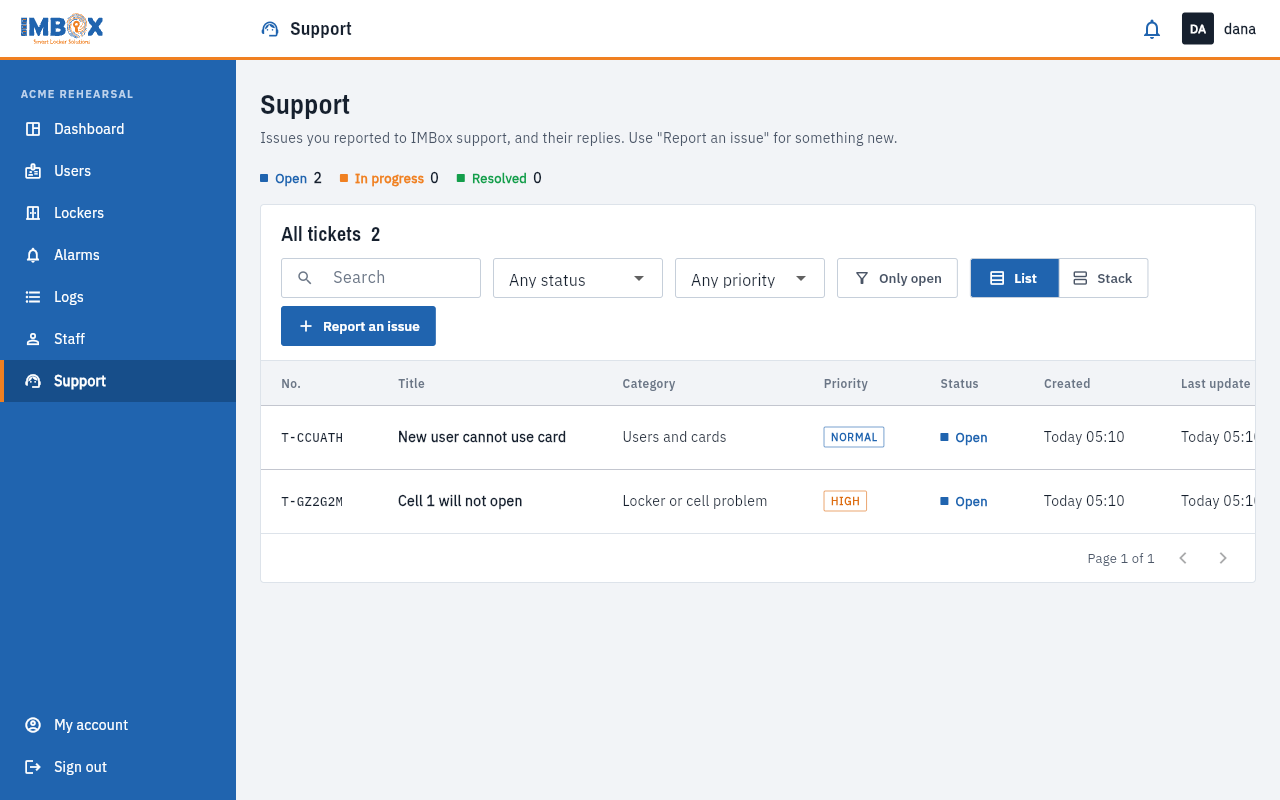
The Support page lists your reports. At the top, three counts show how many are Open, In progress and Resolved.
| Status | Meaning |
|---|---|
| Open | Sent, waiting for IMBox. |
| In progress | IMBox is working on it. |
| Resolved | IMBox says it is solved. |
- Use the search box, the status and priority drop-downs, and Only open to find a report.
- Switch between List and Stack to see your reports as a table or as three columns.
- Open a report to read the Conversation, and write a reply in the box. Press Send.
- If it is solved but the problem comes back, press Reopen.
Notifications
You get a notification in the bell when IMBox replies, assigns your report, or marks it solved. If IMBox has email notifications switched on, you get an email too.
What IMBox can do for you
Besides fixing faults, IMBox can set up a new locker station, zone or reader, switch self-registration on or off for a zone, and change how often a station reports. Ask in a report.